

Why invest in XR?
Is XR Training Worth the Investment?
Rather than looking at only VR, we’re going to focus on XR; the umbrella term for immersive technologies and devices, including Virtual Reality (VR), Augmented Reality (AR), and Mixed Reality (MR). Later in the post I will refer to XR as VR when discussing PC hardware as most PC hardware is only used with VR devices. Overall the XR umbrella still stands.
XR training can absolutely be worth the investment. But before we get to the answer, it depends on what you need to teach, who you need to train, and how often that training needs to be repeated.
XR training is usually most valuable when the skill being taught is expensive, risky, difficult to practise in real life, or needs to be delivered consistently across multiple learners, teams, or locations.
That does not mean XR is always the best option. For some subjects, traditional training may still be cheaper and more practical. However, for hands-on, high-risk, or training with lots of variations, XR can often reduce long-term costs while improving learner confidence, consistency, and engagement.
Let’s start by looking at XR training vs traditional training costs in a way most businesses can relate to.

Azure VR - VR experience Developed by GDXR and Makeshift Studio to show remote users around Microsofts new Azure server facility. Created to run standalone on the Meta Quest 2.
XR Training vs Traditional Training Costs
When it comes to traditional training, it often looks cheaper upfront, but the hidden costs can add up quickly:
Instructor time
Travel and accommodation
Venue hire
Equipment setup
Downtime for staff
Replacing consumables or damaged training materials
Safety supervision (May need multiple instructors depending on the Subject matter)
Repeating the same session for multiple groups over days, months, years.
That said XR training in most cases usually has a higher upfront development cost, but once the application is built, it can be reused as many times as you like with minimal additional costs.
Typical XR training costs include:
Application design and development
3D asset creation & optimisation
The purchase of a fleet of XR devices (VR headset, Tablets ect).
User testing and iteration
Multi language localisation
Ongoing updates and maintenance
In most cases the return on investment usually improves as more people use the training. For example a VR training app used by 10 people may be hard to justify. The same app used by hundreds or thousands of learners over several years can become significantly more cost effective.
Where Do Companies Typically See Savings?
Companies usually see the strongest savings in areas where traditional training is expensive to repeat or difficult to scale. As an example here at GDXR we recently created a project for a client where they needed to train multiple people at different locations around the world on how to repair a specific piece of high end industrial hardware. The hardware itself cost an estimated £550,000. and if broken during a physical training session would have cost around £150,000 to be repaired so the next learner could then have there turn with the hardware. There's also the fact the hardware would have needed to be shipped around the globe creating additional costs.
By creating a digital twin of the hardware, location it resides in with an included full training simulation attached, users could practice, learn and understand how to work with the hardware in a safe, low cost and affordable environment before given hands on time with the real thing.
Other common savings include:
Reduced travel costs: learners can train from different locations without needing to visit a central facility simply by shipping them a XR headset with the training simulation already installed.
Less instructor time: instructors can supervise, assess, or support rather than repeatedly deliver the same content.
Lower equipment wear and tear: learners can practise procedures virtually before using real tools or machinery.
Reduced downtime: staff can train without taking equipment or operational environments out of service.
Improved safety: dangerous scenarios can be practised without risk to people, equipment, or facilities.
Repeatable assessment: every learner can experience the same scenario under the same conditions.
Faster onboarding: new staff can practise key tasks before entering real working environments.
Analytics: Receive analytics directly from the device to let you know what the training outcome was and other useful information.
XR is especially useful when mistakes in the real world are costly, dangerous, or difficult to recreate.
Real Examples of VR Training Use
VR training is already used across industries such as healthcare, aviation, manufacturing, defence, construction, energy, and emergency response.
Examples of these include:
Healthcare: practising surgical steps, patient communication, emergency response, or equipment use.
Aviation and defence: rehearsing procedures, safety checks, and high-pressure decision-making.
Manufacturing: training staff to use machinery, identify faults, or follow assembly processes.
Construction and energy: practising site safety, hazard recognition, and maintenance tasks.
Retail and customer service: simulating difficult conversations, store procedures, or high-pressure situations.
In each case, the value of VR is not just that its a buzz word. The value comes from letting people practise realistic tasks repeatedly, safely, and consistently in a low cost environment.
Why We See More Companies Choosing Standalone XR
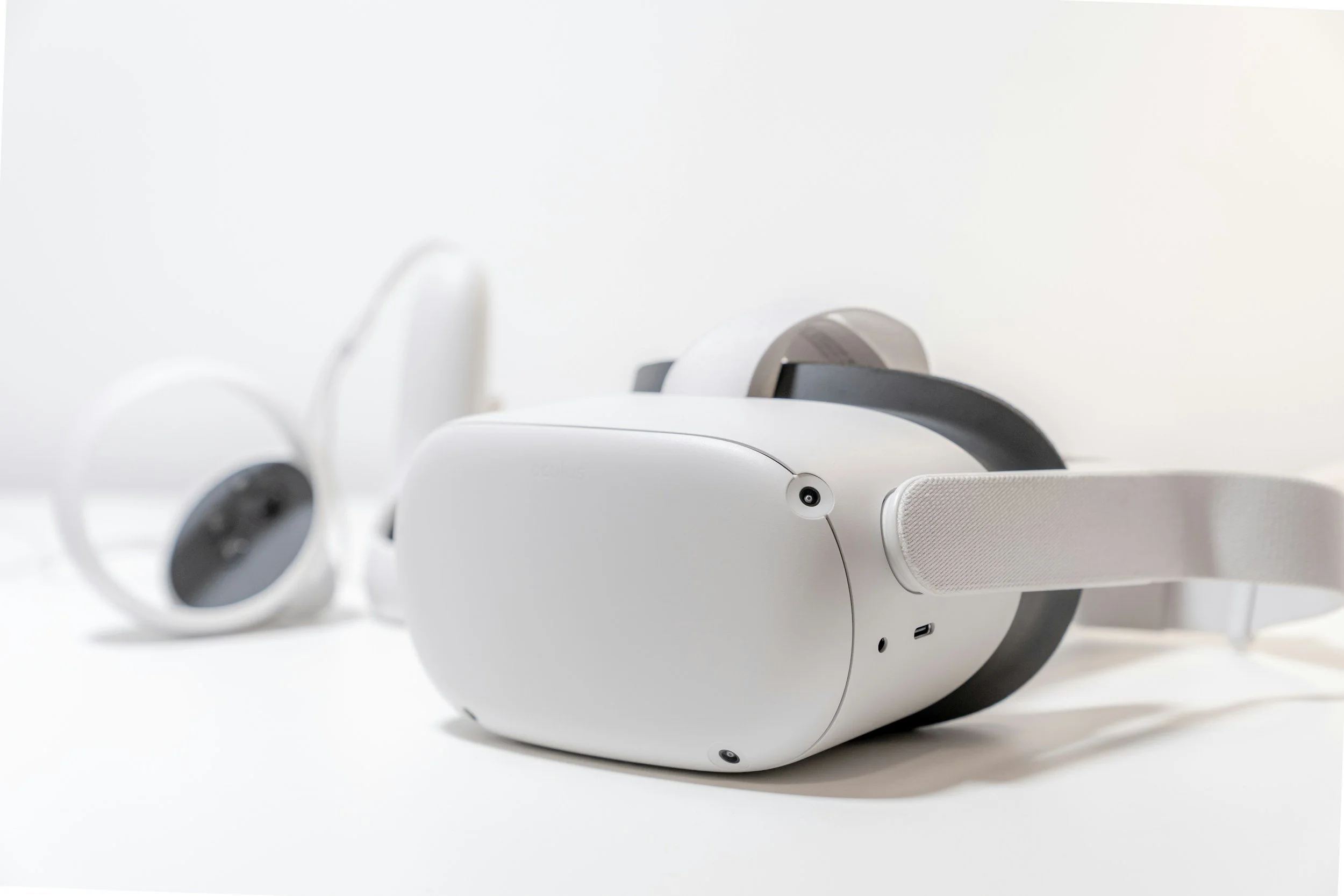
Standalone XR headsets, such as the Meta Quest, Pico Range and Apple Vision, are becoming more practical for business training than dedicated PC-powered VR systems since consumer devices are often cheaper than a PC and VR combo.
PC VR can still be useful for very high-end simulations (Architecture and Military), but it usually requires more hardware, more setup, and more technical support. For many training use cases, standalone VR offers the better balance of cost, quality, and scalability since we can often setup/run fleets of up to 20+ headsets at once in the same location where a PC powered VR experience would only allow for one.
Lower Hardware Costs
Standalone headsets do not require a separate gaming PC, external tracking stations, or complex cabling. This makes the total cost per learner much lower.
A PC VR setup may require:
A powerful computer
A tethered headset
Sensors or base stations
A dedicated training space
More IT setup and maintenance
But a standalone headset is usually much easier to purchase, ship, store, and replace.
Easier Deployment
With standalone XR devices it is easier to deploy across multiple sites because all the hardware required is self-contained.
This means teams can:
Send headsets directly to offices or training centres
Pre-install the training app
Use device management tools like ManageXR - Meta For Work - Pico business to launch large-scale XR sessions or manage headsets remotely.
Run sessions without a specialist technician present
Scale to multiple locations more easily
This makes standalone XR/VR especially useful for organisations with distributed teams.
Less IT Support
Because standalone devices do not rely on a high-spec PC, there are fewer points of failure.
Users don't often have to worry about:
Graphics drivers.
Cable damage.
PC compatibility.
USB or display port problems.
Sensor tracking setup.
Dedicated room configuration.
WIFI connections or networking.
Software updates.
Because of this, it can often mean internal training teams have a much simpler setup, meaning the staff are more likely to actually use it.
Better Scalability
When it comes to scaling XR solutions, Standalone VR is easier to scale because each headset works as an independent training unit.
If a company wants to train more learners, it can add more headsets rather than building more PC’s. This makes it easier to run training in parallel, across different teams, departments, or locations.
For many organisations, the question is not “which headset produces the best graphics?” but “which system can we actually roll out reliably?”
For that reason, standalone VR is often the most practical option and the one we often try to encourage here at GDXR.
How Long Does It Take to Build a VR Training Application?
Here at GDXR the timeline depends on the complexity of the training, the level of realism required, and how much existing content is already available within your company.
As a rough guide:
Project type Typical timeline
Simple interactive prototype 3–7 weeks
Small VR training module 7–13 weeks
Medium training application 4–7 months
Large multi-module training 6–12+ months
platform
A simple module might teach one task, one scenario, or one procedure. A larger application may include multiple environments, branching scenarios, scoring, analytics, user accounts, localisation, and integration with existing systems.
The main factors that affect development time are:
Number of training scenarios
Complexity of interactions
Realism of the environment (This maybe limited when targeting Mobile Devices due to the reduced hardware power.
Quality and availability of 3D assets which either already exist or need producing.
Need for voiceover, animation, or characters.
Assessment and reporting requirements (Analytics)
Stakeholder review cycles
Hardware target and performance requirements
Required localisation to handle multiple languages.
The quickest VR training projects are usually the ones with a clear and specific outcome from the start. For example, a project focused on “training engineers to complete one inspection process safely and consistently” is much easier to plan, price, and build than a broad request like “create a full realistic training simulator for the entire department.” However if you have a request that is broad, we will help you narrow it down and streamline your plan so we can achieve your goal.
Our first step at GDXR is often to build a focused pilot module. This allows the company to test the learning value, gather feedback, and prove the business case before investing in a larger VR training platform.
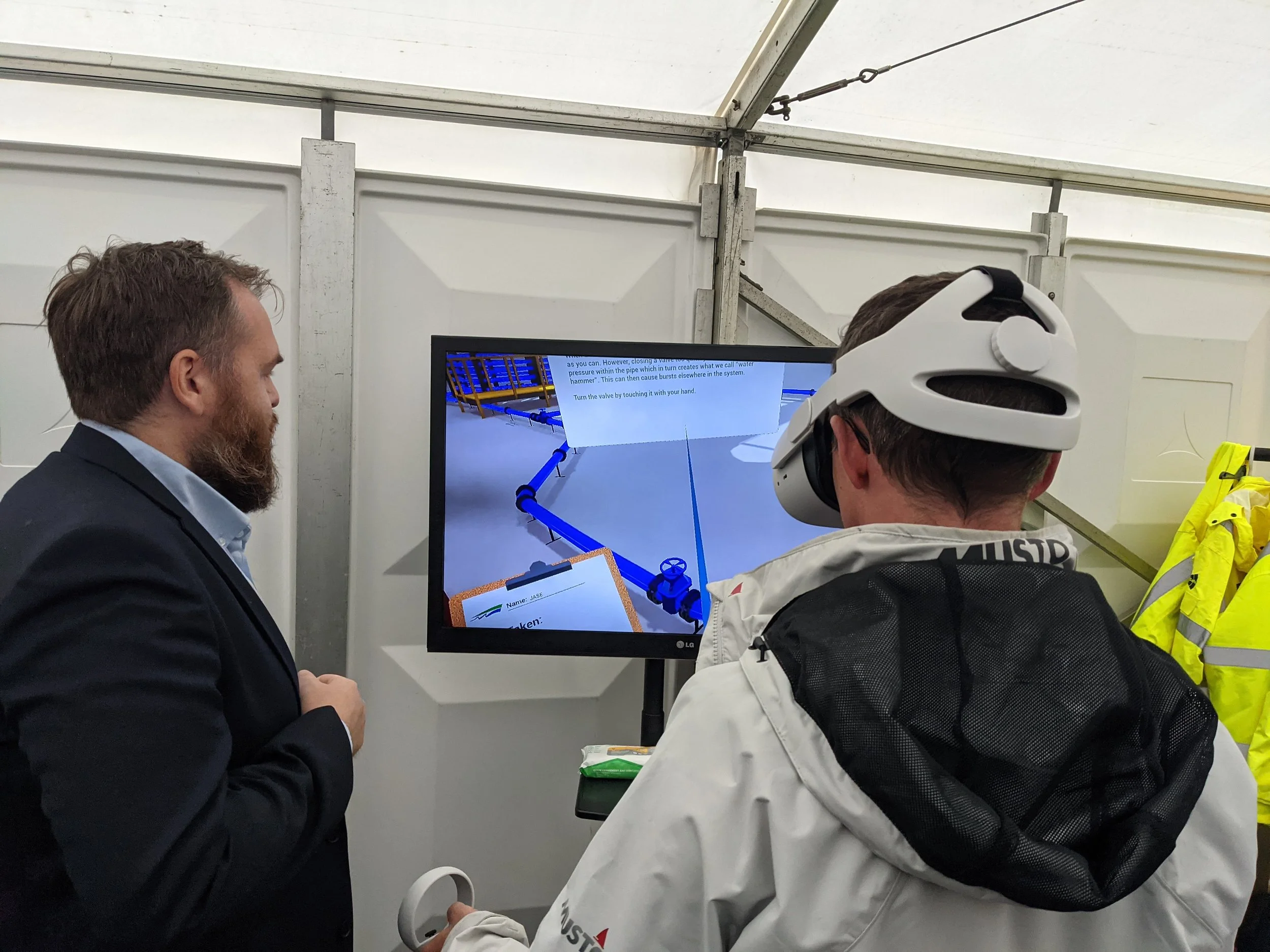
Capital Markets Day VR - A VR experience Developed by GDXR in 2 weeks for South West Water to train investors on how to manage a mains water leak and why quick action is crucial. Created to run standalone on the Meta Quest 2.
So Is XR Training Actually Worth the Investment?
To go back to the beginning of this blog post, Yes. VR training is worth the investment when it solves a real training problem: reducing risk, lowering repeat costs, improving access, or helping people practise tasks that are difficult to recreate in the real world.
But in some cases it might not the right fit for every training scenario, but when the use case involves hands-on practice, safety-critical procedures, expensive equipment, or large-scale repeat training, XR can provide a strong return on investment.
Overall standalone headsets make that return easier to achieve because they reduce hardware cost, simplify deployment, and make VR training more scalable across an organisation.
So if you have a project in mind or need help figuring out if XR is the solution for you and your business needs. Reach out to us and we will do our best to help you figure that answer out.